Philippines – Hey there, tech lovers, especially to all HUAWEI smartwatch and Gcash users like me! I’m so beyond excited to share some amazing and game-changing news that’s made my or your daily routine so much cooler and ang astig nito.

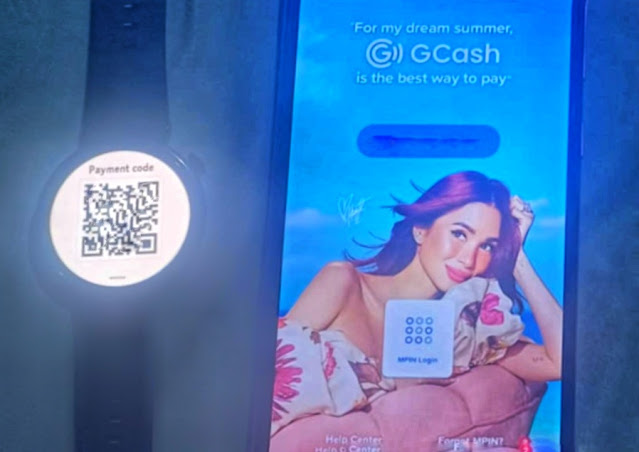
Picture this, guys: You’re at your favorite shop, restaurant, or any spot that accepts GCash payment, ready to pay for your order. Suddenly, you realize you forgot your wallet and phone, or it’s buried somewhere in your bag, and you’re frantically searching for it. Talk about it ‐ ang hassle, right? It’s super stressful, especially when you need to pay ASAP, and it’s kinda embarrassing to hold up the line. But here’s the game-changer for us – thank you to Huawei and GCash’s Watch Pay feature, I can now pay anywhere, anytime, just by scanning a QR code on my Huawei smartwatch. Tada! Payment done, no phone needed or wallet needed. It’s like having a wallet on my wrist, and I’m obsessed with how easy and stress-free it makes my life talaga. Why? Minsan din talaga naiiwan ko ang phone ko or wallet hehehe.
So as I mentioned the Huawei and GCash have teamed up to bring QR code payments right to your wrist with the Watch Pay feature. As someone who’s always on the move, this feels like a mini superpower. Let me break it down simply, walk you through how to connect GCash to your smartwatch, and list the compatible Huawei wearables that make this magic happen.


